
HD Video Downloader App - 2022
Leap Fitness GroupVideo Players & Editors
4.62.98K Reviews
- Version
- 1.3.9
- Installs
- 100.00M
- Age Rating
- Everyone
Screenshots
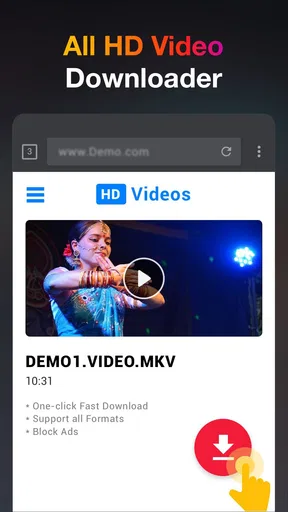
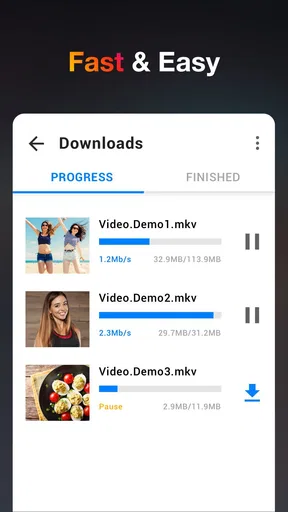
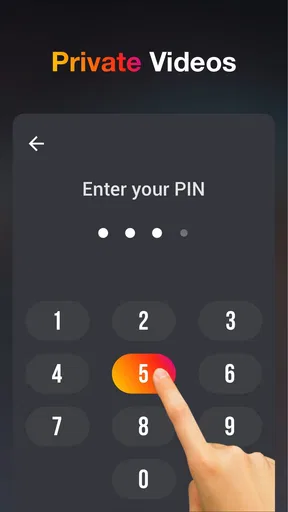
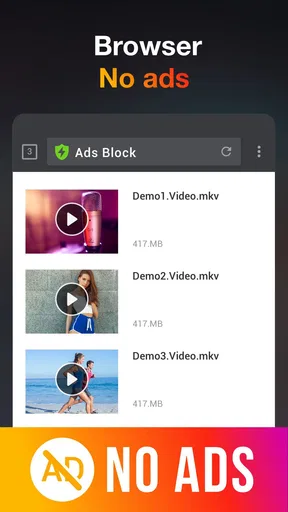
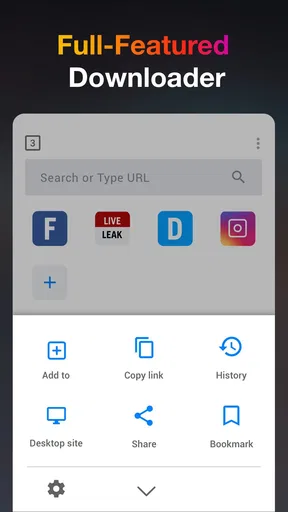
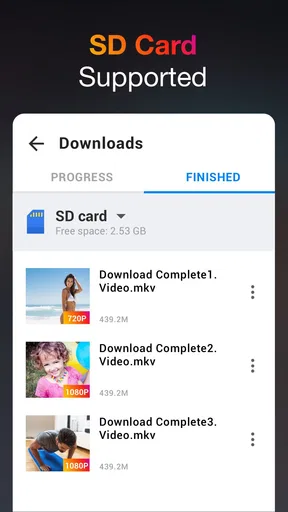
Our Review of HD Video Downloader App - 2022
 Analysis by Appyee
When I judge a video downloader, I look beyond the promise of saving a clip: the real test is whether it makes a small, repeatable task easier without turning file management into another chore. HD Video Downloader App - 2022 is aimed at people who want videos available offline, and its straightforward approach is its clearest appeal. I would treat it as a practical utility for occasional downloads, while keeping expectations grounded: the experience depends on whether a particular video can be saved and on how much space I am willing to give it.
Where this downloader fits today
This is a free video player and editing category app from Leap Fitness Group, although its central purpose is downloading and organizing videos rather than editing them. It has a 4.6 average from around 354,000 ratings and over 100 million installs, which suggests that the basic idea is familiar to a very large audience. That reach is useful context, not a guarantee that every video source or user workflow will behave the same way.
The current version is 1.3.9, and the app first appeared on March 29, 2019. Those details tell me where the product stands, but they do not establish a history of particular feature changes, so I would not assume that a specific capability is new or recently improved. For someone deciding whether to install it now, the practical question is simpler: do you want a dedicated place to handle downloadable clips, or are your phone’s existing browser and file tools already enough?
What to expect from the workflow
The stated focus is downloading videos from social websites, and the app’s built-in browsing approach can reduce the back-and-forth of finding a clip in one app and trying to manage it in another. That convenience is most valuable for a video you already know you want to keep temporarily, such as a how-to demonstration for a trip or a short reference clip for a project. It is less compelling if you only watch videos while connected and rarely need local copies.
Before relying on any downloader, I would check that the source permits saving and that the clip is actually available for offline use through this route. A downloader should not be treated as a way around a creator’s rights or a platform’s restrictions. If the source offers its own official offline option, that is often the cleaner choice: it keeps the video within the intended service and avoids juggling another copy in local storage.
A sensible everyday routine
Imagine I am about to travel and want a few useful videos ready for a stretch without dependable connectivity. I would collect only the specific clips I expect to use, then check that each saved item opens before leaving. That small verification step matters more than it sounds: a visible file is not much help if it is incomplete, difficult to identify, or saved in a format my preferred player does not handle.
I would also name or sort files as I go rather than letting a pile accumulate. A folder of unrelated clips quickly becomes harder to browse than a streaming history, especially when several videos have similar titles. Keeping a short-lived collection for a particular task—then deleting it when that task is over—is a better fit than treating a downloader as a permanent media archive.
Trade-offs worth considering
Local video is convenient, but it exchanges streaming dependence for storage use. Higher-quality files can take up more room, so I would reserve space before downloading and avoid saving a large batch just because the option is available. If storage is already tight, streaming when connected or using an official offline mode with clear library controls may suit you better.
There is also a difference between a downloader and a full media library. A dedicated video player may offer a more polished viewing experience, while a file manager may be better for moving, renaming, or backing up files. This app’s appeal is the download-oriented workflow; I would not choose it primarily for advanced playback controls, editing tools, or long-term collection management.
Who should choose another option
I would recommend trying this app if you regularly need a few videos available without a connection and prefer a focused utility over manually managing every step. It may also suit someone who wants to keep reference clips together on a phone rather than repeatedly searching for them online. The free price makes trying that workflow low-commitment, though in-app purchases are listed at $3.99 per item, so I would check what is included before paying for anything.
On the other hand, it is not the right fit if you expect every social video to be downloadable, need professional editing, or want automatic cloud backup and cross-device syncing. Those needs call for different tools. It is also sensible to compare the app’s requested access with the task you intend to perform and to avoid saving material you do not have permission to keep. Rated for Everyone, it is broadly suitable in age terms, but responsible use still matters.
Getting Started with HD Video Downloader
Firing up the app for the first time, I was pleasantly surprised by its simple, user-friendly interface. No frills, no fluff—just straight to business. The home screen greets you with a clean design, making navigation feel intuitive from the get-go. You know those apps that make you feel like you need a degree in rocket science to use? Yeah, this isn't one of them.
Features That Make It Stand Out
The HD Video Downloader App boasts some pretty impressive features that make video downloading a breeze. Let's dive into a few of them:
- High-Quality Downloads: The app lives up to its name by offering HD downloads. Whether you're grabbing a music video or a documentary, you can count on top-notch quality.
- Fast Download Speeds: No one likes to wait forever for a download to finish, right? This app speeds things up, so you can get your content faster than you can say "buffering."
- Multiple Formats Supported: From MP4 to AVI, the app supports a range of formats. So, no need to worry about compatibility issues when transferring videos to different devices.
- Built-in Browser: This feature is a lifesaver! You can search for videos directly within the app without the hassle of switching between apps.
Using the App: My Experience
Downloading with the HD Video Downloader was straightforward. I simply popped in the URL of the video I wanted, chose my preferred format and quality, and hit download. The app took care of the rest. I loved the fact that I could download multiple videos simultaneously without taking a hit on speed. It's perfect for those days when you want to stock up on content for offline viewing.
Another feature I found incredibly useful was the built-in file manager. It organizes your downloaded files neatly, so you can easily access them without sifting through clutter.
A Few Things to Keep in Mind
While I’m singing praises for the app, there are a couple of things potential users should be aware of. Like many free apps, ads are part of the package. They aren’t overly intrusive, but they do pop up occasionally. Also, some features are locked behind a premium version. If you’re someone who downloads a ton of videos, you might find it worth upgrading.
As for compatibility, the app runs smoothly on both Android and iOS, which is a major plus in my book. Just make sure you have enough storage space because those HD videos can be quite hefty!
Final Thoughts
Overall, the HD Video Downloader App - 2022 is a solid choice for anyone looking to download and manage videos efficiently. Its combination of speed, quality, and ease of use makes it stand out in a crowded market. Whether you're a casual user or a video enthusiast, this app is definitely worth a spot on your device. Just remember to keep an eye on your storage space and enjoy the endless stream of offline entertainment!
So, if you're ready to take control of your video downloads, give this app a whirl. You might just find it becomes your new go-to for all things video. Happy downloading!
Verdict
Strengths of HD Video Downloader App - 2022
- Easy-to-use interface for quick downloads.
- Supports multiple video platforms.
- High download speeds for large files.
- Allows background downloading.
- Supports various video resolutions.
Limitations of HD Video Downloader App - 2022
- Contains intrusive ads during use.
- Limited features in free version.
- May not support certain video formats.
- Requires permissions that may raise privacy concerns.
- Occasional crashes on older devices.
Other Releases by Leap Fitness Group
View All
Downloader - Video Downloader
Video Players & Editors4.7

Ovulation Calendar & Fertility
Parenting4.8
Similar Picks in This Category
View All
Google TV
Google LLC3.9

iTunes
Apple4.7

YouTube
Google LLC3.8

MX Player
Amazon Mobile LLC4.2

CapCut - Video Editor
Bytedance Pte. Ltd.3.5

PLAYit-All in One Video Player
PLAYIT TECHNOLOGY PTE. LTD.4.5
Frequently Asked Questions
How do I download videos using the HD Video Downloader App?
To download videos, open the app and use the built-in browser to navigate to the website hosting the video. Once you select the video, the app will automatically detect it and prompt you to download. You can choose the desired resolution and format before starting the download.
Is the HD Video Downloader App free to use?
Yes, the HD Video Downloader App is free to download and use. However, it may offer in-app purchases or ads to support development. Some features might be restricted in the free version, requiring a purchase to unlock premium capabilities or an ad-free experience.
What video formats are supported by the HD Video Downloader App?
The app supports a wide range of video formats including MP4, AVI, MKV, and more. This flexibility ensures that you can download videos in the format that best suits your device and playback needs. Additionally, you can choose from various resolutions such as 720p, 1080p, and even 4K if available.
Is it legal to download videos with this app?
The legality of downloading videos depends on the terms of service of the website hosting the content. It's crucial to ensure compliance with copyright laws and obtain necessary permissions to download videos. The app provides a tool but users must adhere to legal guidelines when using it.
Can I download videos from all websites using this app?
While the app is designed to work with numerous video hosting sites, compatibility may vary. Some websites have restrictions or advanced protections that prevent downloads. It's advisable to test the app with your preferred sites and check for updates or support for specific platforms.
